What even is a shell? #
A shell, broadly speaking, is an interface that lets users interact with the operating system in a relatively simple way. The term "shell" in *nix spaces often refers to terminal shells (bash, zsh, fish, etc.), which aren't the focus for this post. Turning to more graphical contexts, a shell implies a set of GUI components that work together to provide a user-friendly front for the end user. On Windows, the term is colloquially interchangeable with the File Explorer given the tight integration between it and the rest of the UI (ignoring the incomprehensive list of alternative shells that are available, as Windows was never designed to allow such functionality to begin with).
On the Linux desktop, the term "shell" is rarely used to describe the equivalent thing that makes up the desktop experience, instead favoring terms like "Desktop Environment", "Window Manager" and "(Wayland) Compositor", immediately displaying the overwhelming variety of the FOSS world.
Shell plugins in KDE Plasma #
With this (not to be confused with) segment out of the way, the topic at hand is KDE shells, also known as shell plugins or shell packages as described by the KDE Community Wiki. These plugins contain the UI elements needed to run the most essential parts of Plasma, such as:
- Edit mode
- Activity switcher
- "Add new widgets" menu
- "Show alternative widgets" menu
- Plasmoid KCM page wrapper
- Panel configuration menu
- Lock screen UI
...and much more than that, including non-UI elements and other functionality.
Shell plugins are used by the plasmashell executable, and the QML code interfaces with the C++ shell components found in Plasma Workspace.
Most KDE users will likely only ever interact with the desktop shell which is the assumed default when running plasmashell. However, other form factors such as Plasma Mobile, Plasma Bigscreen and Plasma Nano all fundamentally have different shell plugins, as well as other major components which drastically change the KDE Plasma experience.
Okay, but why are shell plugins important? #
Arguably the biggest impact on the experience of using Plasma comes from the actual Plasmoids themselves (which includes containments like the desktop containment and panels, too) and other surrounding software, but conceptually, shell plugins have the additional role of separating different variants of Plasma so that relevant configs and layouts don't conflict with each other. A desktop session with its own Plasmoids and layouts is necessarily going to differ from layouts suited for mobile and TV environments respectively.
In order to address this, plasmashell creates a config file for each shell, which stores the Plasmoid layout and their configurations. This separation also necessitates the usage of different sessions altogether, regarding login managers. With those two things in mind, this mechanism is useful for more than just having different form factors of Plasma, this can work for any kind of alternative shell.
Taking AeroThemePlasma as an example, it differs from the default Plasma desktop experience enough to the point where it should be its own thing, thus warranting the usage of a separate shell and separate session entries (and in all honesty, these changes were long overdue for AeroThemePlasma).
Creating your custom shell plugin #
Creating a custom shell plugin is really simple. The most sensible way to do this is to just fork the default shell and hack away from there. As detailed in my previous post, the fastest way to make UI changes to the shell is to simply copy the default shell from /usr/share/plasma/shells/org.kde.plasma.desktop to the local equivalent path. After making edits to the QML code and restarting plasmashell, the changes will be applied.
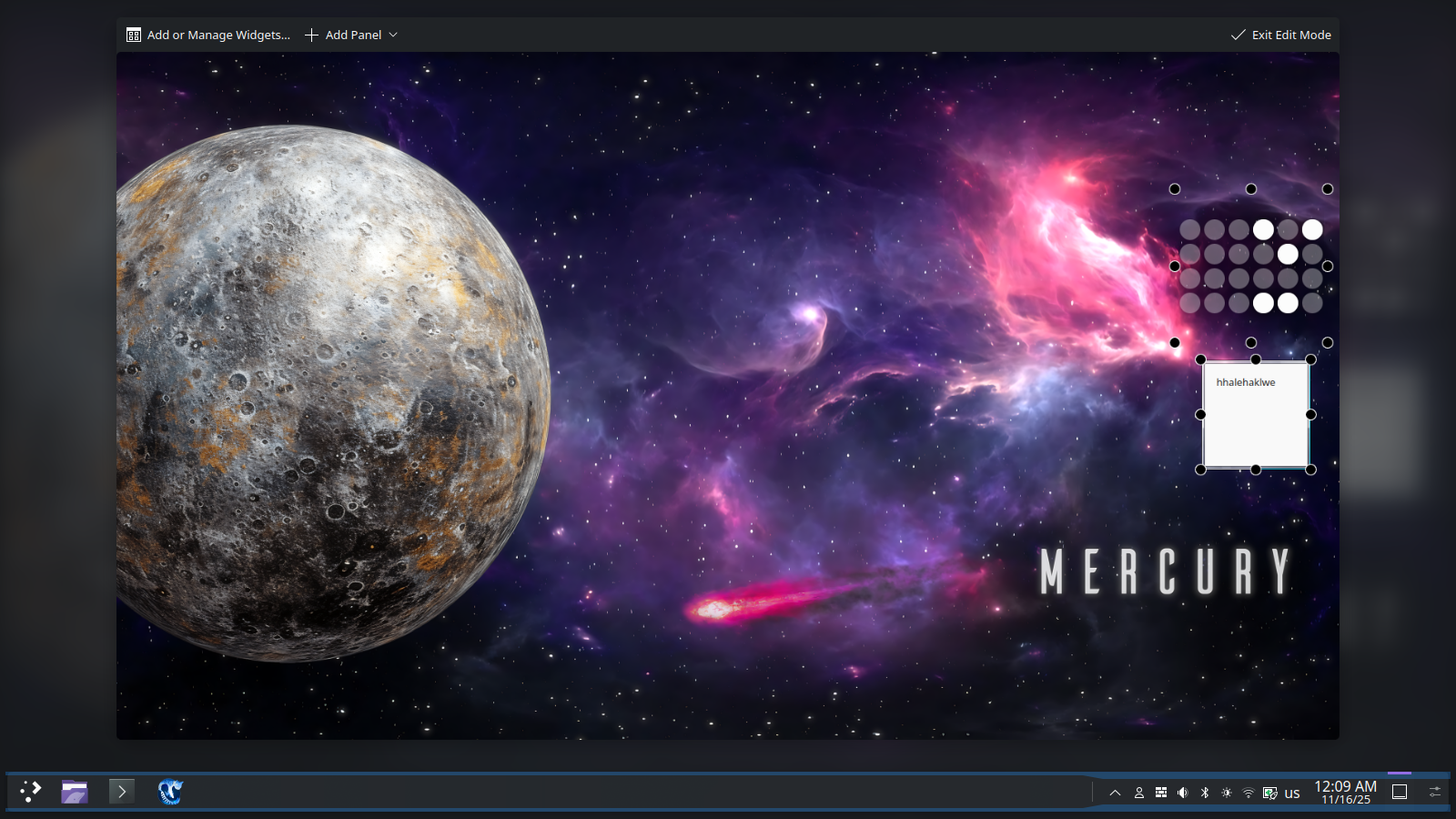 Before - original desktop shell (ignoring custom plasmoids)
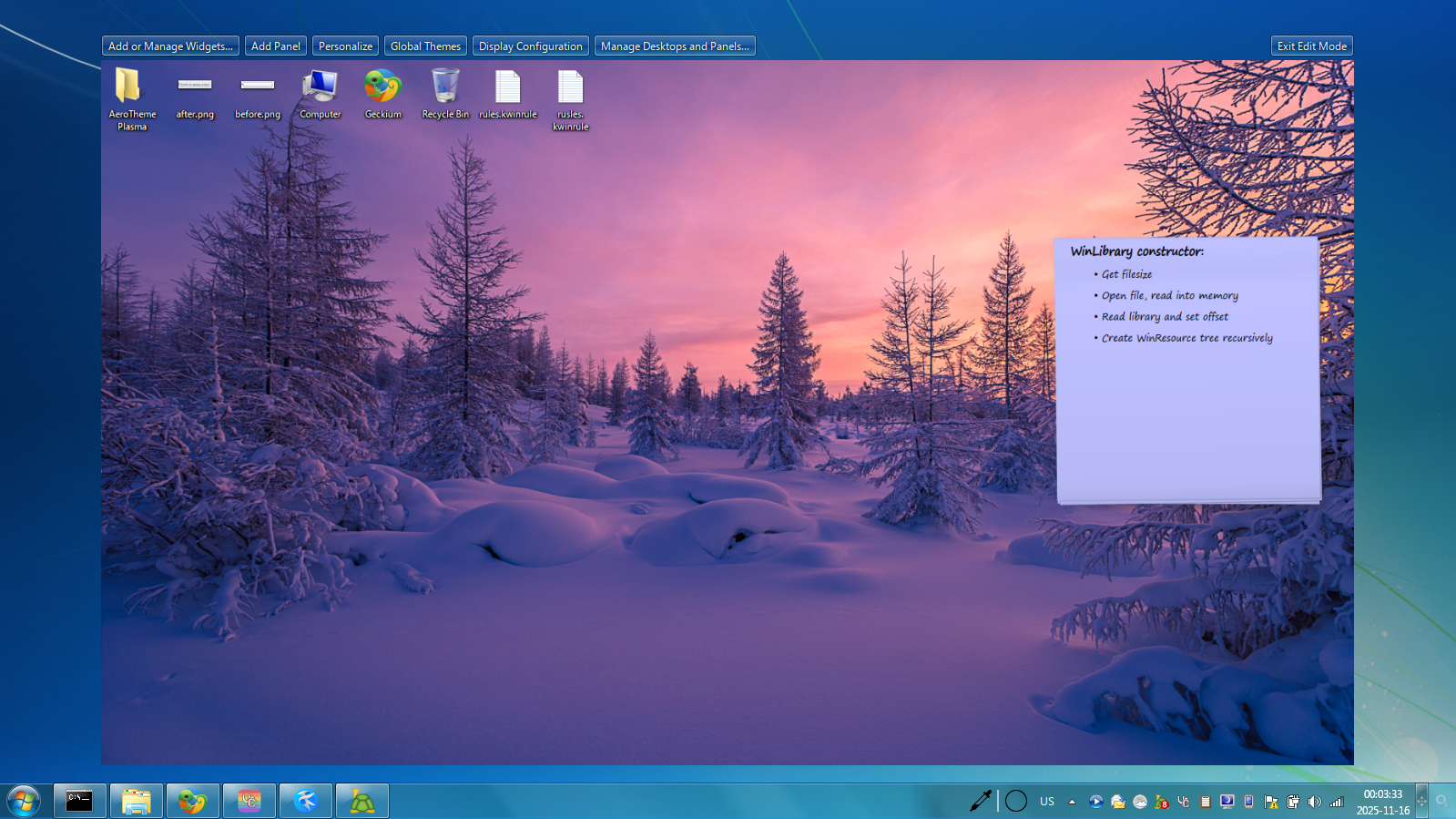 After - modified desktop shell
This works (and this is how AeroThemePlasma did it for the longest time), but the drawbacks are obvious. The first drawback is that these changes are purely local and work only for the user that has the modified shell, and the second drawback is that this prevents the user from accessing the default desktop shell if they wish to do so. The user would have to move or rename the directory of the modified shell in order to go back to the original desktop shell. To make these modified changes independently from the default shell, it has to be renamed to something else:
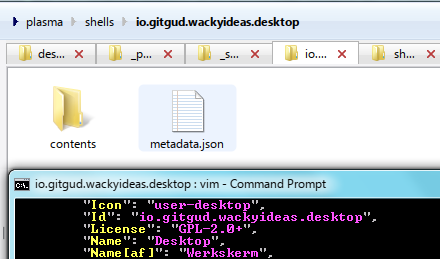 Note that the directory name and the Id prop in
 metadata.json must match.
Aside from the Id prop in the metadata.json file, it's obviously a good idea to also change the surrounding metadata like the name, description, etc.
After renaming our new shell plugin, the elephant in the room has to be addressed. How do we actually use other shells?
Running other shell plugins #
There are three ways (that I know of) to invoke a different shell. I'll be covering them in order of their usefulness.
Using DBus
We can change the currently running shell while plasmashell is running using the following command:
$ qdbus6 org.kde.plasmashell /PlasmaShell changeShell <shell_id>There doesn't seem to be any use case for this method. Searching for this method on GitHub indicates that it sees no usage whatsoever. Looking at the source code, we can see where it is declared, and at least get a bit of insight through code comments:
	/**
	 * Set the shell and reload containments while an existing shell is displayed
	 */
void changeShell(const QString &shell);Using plasmashell
The plasmashell command offers the following optional argument:
-p, --shell-plugin <plugin> Force loading the given shell pluginSo we might expect usage to look something like this, if we want to restart plasmashell in the terminal and load our new shell:
$ setsid plasmashell --replace --shell-plugin <shell_id>This is a more acceptable way of changing the shell, and seems like a sensible way to debug and test things. The drawback, of course, is that this is only temporary and the default shell will still be loaded at the start of every new session.
Using environment variables
Lastly, we can make use of the environment variable PLASMA_DEFAULT_SHELL in order to override plasmashell's default shell plugin:
$ export PLASMA_DEFAULT_SHELL=<shell_id>
$ setsid plasmashell --replace
This is the main way to actually define a default shell plugin for the duration of the session. Instead of throwing this into /etc/environment, the correct way to do this would be to create your own session entries, which will be read and started by login managers.
Making your own session entries #
Login managers (like SDDM and LightDM) read session entries from two standardized places:
/usr/share/xsessions//usr/share/wayland-sessions/
$ ls /usr/share/wayland-sessions/ /usr/share/xsessions/
/usr/share/wayland-sessions/:
aerothemeplasma.desktop plasma.desktop plasma-mobile.desktop
/usr/share/xsessions/:
aerothemeplasmax11.desktop liquidshell-session.desktop plasmax11.desktop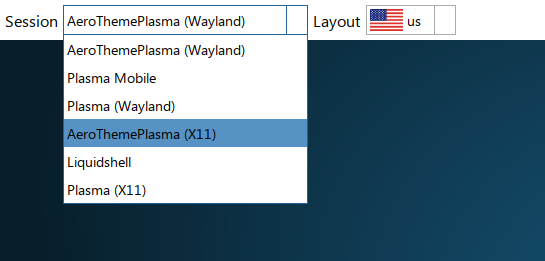 Session entries listed in SDDM
(Un)surprisingly, these are just .desktop files! Since desktop entries are fairly well documented, I won't go too much into detail, so here's a minimal example used by AeroThemePlasma's Wayland session:
# /usr/share/wayland-sessions/aerothemeplasma.desktop

[Desktop Entry]
Exec=/usr/bin/startatp-wayland
TryExec=/usr/bin/startatp-wayland
DesktopNames=KDE
Name=AeroThemePlasma (Wayland)
Comment=KDE Plasma running AeroThemePlasma
X-KDE-PluginInfo-Version=6.4.4
The path under the Exec key is just a simple shell script that does the following:
#!/bin/sh

export PLASMA_DEFAULT_SHELL=io.gitgud.wackyideas.desktop
/usr/lib/plasma-dbus-run-session-if-needed /usr/bin/startplasma-waylandThe X11 session is a bit simpler, but it's basically done in almost the exact same way as the Wayland session entry. These entries can be further automatically generated and installed using CMake, but that's beyond the scope of this post.
If everything is correctly set up, your preferred login manager should be able to recognize the entries, as well as the executable scripts, and successfully boot into KDE Plasma running a different shell. As mentioned before, shells don't share Plasmoid layouts and configs, so those have to be migrated or reconstructed in some way if necessary.
-p/--shell-plugin argument.The shell package structure #
I won't go into detail about every single component as I feel it's out of scope for this post to explain Qt and KDE programming, but it'd be useful to give a basic overview of what's actually in a shell package:
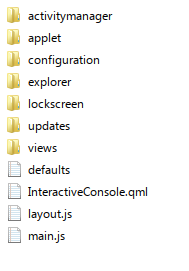
- activitymanager - Code that relates to the acitivity switcher UI
- applet - UI for the default Plasmoid compact representation, as well as the error window
- configuration - UI for various configuration pages in the shell (Plasmoids, containments)
- explorer - UI for the 'Add or Manage Widgets' menu and Plasmoid alternatives
- lockscreen - UI for the lockscreen
- view - Code that relates to the surrounding UI for containments, including edit mode
- defaults - Provides default configurations for containments
- layout.js - Default layout for the shell plugin
layout.js file. This script is the same kind of script that would be included as a layout template.Postamble #
With this post I wanted to highlight yet another way in which KDE Plasma has immense potential in terms of extensibility and customization, particularly in the context of creating your own sort of "desktop environment". Creating and maintaining an entire desktop environment basically from scratch is by no means a small task, especially if all the work falls on one individual. Heck, COSMIC DE has had delays in its development and release cycle and is still not out of the Beta stage as of writing this, and the project is worked on by a team of developers within a company. It's undeniably hard work.
Anything more than creating a lightweight standalone window manager or Wayland compositor quickly turns into a Sisyphean task (making a WM/Compositor isn't easy, either, especially as Wayland still has ways to go before it reaches a state of maturity). With that said, I feel like KDE Plasma is in a unique position to offer an ecosystem that goes beyond just customization for end users. There is potential to allow room for something that's between a full independent desktop environment (XFCE, LXQt, GNOME, etc.) and a lightweight minimalist window manager (Openbox, i3, dwm, Sway, etc.).
Developers could rely on the incredibly rich ecosystem that Plasma already provides (Plasmoids, KWin effects, scripts, configurability, stable and powerful APIs) whilst creating an inherently different kind of experience from the Plasma desktop. Users can still enjoy all the benefits and features that they would expect from a full desktop environment, and the developers of such spinoffs of KDE Plasma end up having their development and maintenance burdens significantly reduced.
I imagine that KDE Plasma was never built with such concepts as the intent, but nonetheless its current structure allows for projects like AeroThemePlasma and VistaThemePlasma to exist. And at the very least, I'm grateful for that.
By WackyIdeas
 This site supports RSS!
 Buy me a beer!